
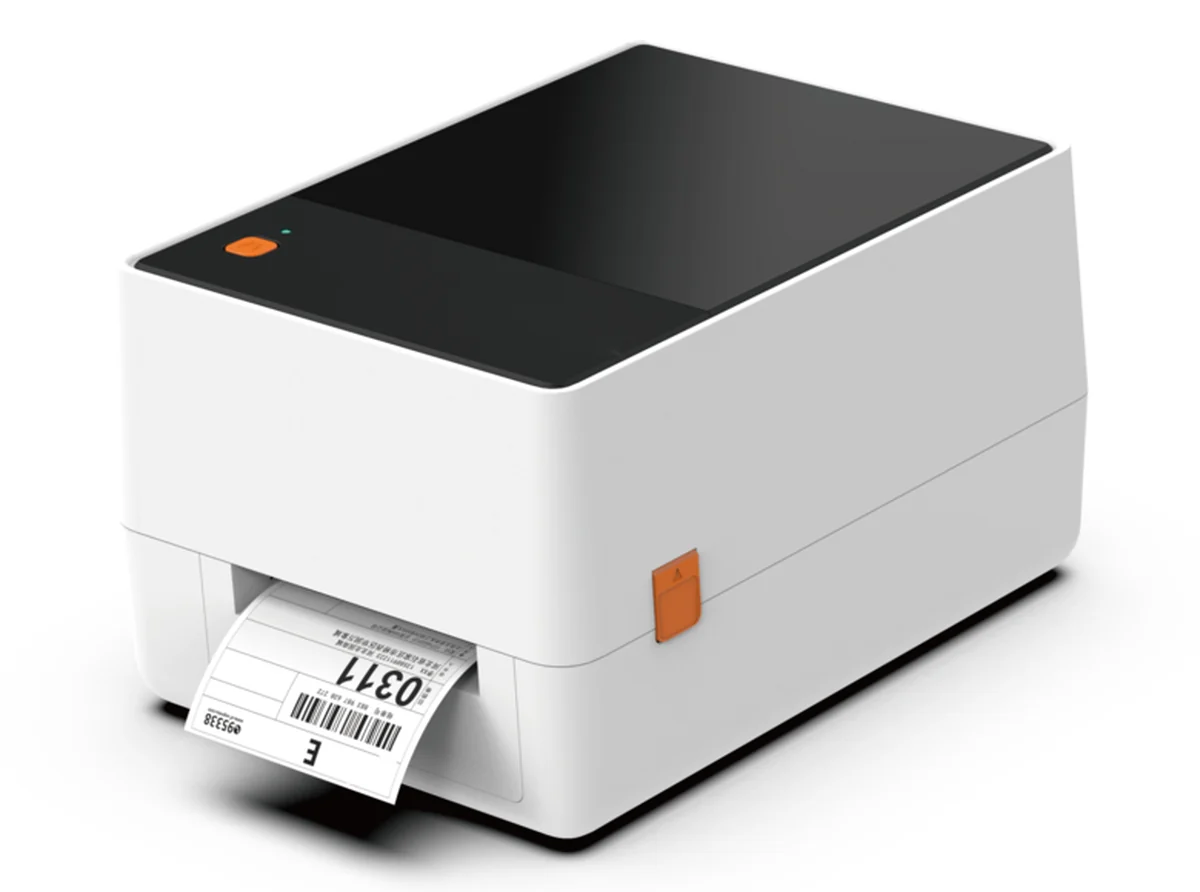
Either the label converter prints the serial number on press, or the plant prints it inline at packaging. Whichever you choose, every label still needs its serial checked before it reaches the bottle: a readable barcode grade, the right data, no missing ink, and a legible lot and expiry. One common setup does both at the point of packaging: a thermal transfer printer adds the serial, lot, expiry and GS1 DataMatrix to a blank area on the pre-printed stock, and an inspection camera such as the OMRON V275 checks each label as it comes off the printer.
What does DSCSA require on each label?
Many pharma labels arrive pre-printed: artwork, drug name, strength, warnings. The variable data is a different matter. Under the Drug Supply Chain Security Act[1], each package needs a product identifier made up of the NDC, a unique serial number, the lot number and the expiration date, in human-readable text and in a 2D DataMatrix barcode[2]. The NDC can be encoded in GS1 format in the same DataMatrix as the other elements, as FDA's NDC format page[3] explains.
The serial number changes on every unit. Label converters can print variable data on press, and some plants buy fully serialized labels. Others print the serial inline at packaging. Some print inline so their own serialization system issues each serial at the moment of packaging.
Either way, printing a serial and checking a serial are two separate jobs. Wherever it was printed, the serial on each unit has to be readable and correct when the unit is packaged. What protects you is checking every unit as it's labeled.
How does inline print-and-verify work?
When a plant prints inline, the setup looks like this:
- The label converter prints the static artwork, with a clear panel reserved for variable data.
- The plant's serialization software issues the serial numbers and sends each label's data to a thermal transfer printer.
- The printer prints the serial, lot, expiration and DataMatrix into the clear panel.
- An inspection camera images each label as it exits the printer and passes or fails it.
The inspection step is the one that protects you. GS1's 2D barcode verification guideline[4] traces common failures to voids from a burned-out or worn print head, stray spots of ink, labels stretched in one direction, and print head damage. A DataMatrix with a missing row can look fine to an operator and still fail to scan downstream.
What does the OMRON V275 check on each label?
The V275 is a print inspection system factory-integrated into Zebra ZT610 and ZT620 printers. A camera head sits at the printer's exit and images every label. Per OMRON's V275 product page and datasheet, it covers:
- Barcode grade. Grades 2D codes to ISO/IEC 15415 and linear codes to ISO/IEC 15416, against GS1 specifications, with GS1 syntax checking. Our GS1 check digit tool helps you confirm the GTIN before it goes into the code. OMRON publishes an ISO/IEC 15426 declaration of conformity for the verifier itself.
- Print contrast. Symbol contrast is one of the graded parameters, so a light print shows up as a lower grade before it becomes unreadable.
- Missing ink. Blemish detection finds voids and spots down to 5 mil (0.126 mm).
- Skew and distortion. A code printed stretched or skewed loses grade on the 2D parameters ISO/IEC 15415 grades, such as axial and grid non-uniformity, which GS1's guideline ties to print speed mismatch and stretched labels. Label placement on the bottle is checked at the labeler.
- Lot and expiration text. OCR and OCV read the human-readable lot and expiration and compare them with the expected values, down to 5-point text in supported fonts.
Check the published limits against your label first: up to 305 mm per second on the 300 dpi ZT610, inspection width up to 104 mm on the ZT610 or 168 mm on the ZT620, and a minimum 2D cell size of 10 mil. OMRON also asks you to check with them on shiny, transparent or colored stock.
Note: the V275 is being phased out. OMRON has announced the V275's end of life. Per OMRON's V275 product page, production is planned to end on August 31, 2027, and OMRON's discontinuation list puts last orders around February 28, 2027. Plants buying now should confirm long-term support and spare parts with OMRON, or ask about its successor. The same print-and-verify approach, and the serial feedback integration from JM Automated Solutions, carry over to the replacement.
Is the V275 suited to DSCSA and 21 CFR Part 11 environments?
The V275 is designed for use in DSCSA and 21 CFR Part 11 environments. Its software includes user management and an audit trail, and OMRON offers optional IQ/OQ/PQ documentation for plants working under Part 11. Validation of the system in your process, and meeting DSCSA requirements, stay with the manufacturer. Our part is to install and document it so your quality team can run its IQ/OQ.
What happens when a label fails inspection?
When a label fails, the OMRON V275 can stop the printer or alert the operator. On premium models with overstrike, a failed label is marked void and reprinted automatically, up to a set number of attempts, before the printer pauses for an operator.
A voided or rejected label carries a serial number that will never ship, and the V275 doesn't report those serials back to the plant's serialization system out of the box. JM integrates its own software to close that loop: every voided or rejected serial is reported to the serialization system, so it isn't reused or left unaccounted for, and the records match what shipped. We plan that on day one, not after the first audit.
How does JM Automated Solutions approach this retrofit?
- Start with where the serial is printed. If your converter prints it on press, the checks move to a camera at the labeler. If you print inline, we test your actual label stock, ribbon and artwork, including the reserved panel size and the DataMatrix cell size you need.
- Match speed to the line. We check that print and inspection speed keep up with the labeler at your real line rate, and plan how verified labels reach the bottle: a rewound roll for the labeler, peel-and-present for hand application, or print-and-apply.
- Connect the data. Serialization systems are usually described in levels: devices such as printers and cameras (Level 1), line control software that manages serial numbers on one line (Level 2), and site software that serves every line in the plant (Level 3), as Pharma Manufacturing[5] lays out. We connect at the level your plant uses and add our own integration layer that reports voided and rejected serials back to it.
- Dry run first. We run with rejects logged but not acted on, so your team can review every decision before go-live.
- Hand over documentation for your IQ/OQ.
Find out if it works on your labels
Send us a few of your labels and your data requirements. We'll tell you in writing how to check every serial on your line, before any proposal or price. Book a call or send JM Automated Solutions a message.
Sources
- FDA: Drug Supply Chain Security Act (DSCSA)
- FDA guidance: product identifiers under DSCSA
- FDA: National Drug Code format
- GS1: 2D Barcode Verification Process Implementation Guideline
- Pharma Manufacturing: Future-proofing serialization solutions
- OMRON, V275 print inspection system product page and datasheet (omron.com). Cited as text, not linked.
- OMRON, V275 discontinuation notice and product page: last orders around February 28, 2027, production end August 31, 2027 (omron.com). Cited as text, not linked.